> ## Documentation Index
> Fetch the complete documentation index at: https://docs.a7manager.se/llms.txt
> Use this file to discover all available pages before exploring further.
# Maintenance Planner
> Projecting upcoming maintenance into a workable schedule.
Maintenance planning projects upcoming workload and costs. The planner module allows detailed planning.
***
## Tabs
| Tab | Shows |
| ----------------------- | ------------------------------------------------------------------------------------------------------------------------------------------------------ |
| **Outcome** *(default)* | Projected workload over time, grouped by vehicle, task or task group, with count, manhours and cost series. Computed live — no planning needs to exist |
| **Planner** | The scheduler timeline itself, where work is placed and moved |
***
### Outcome
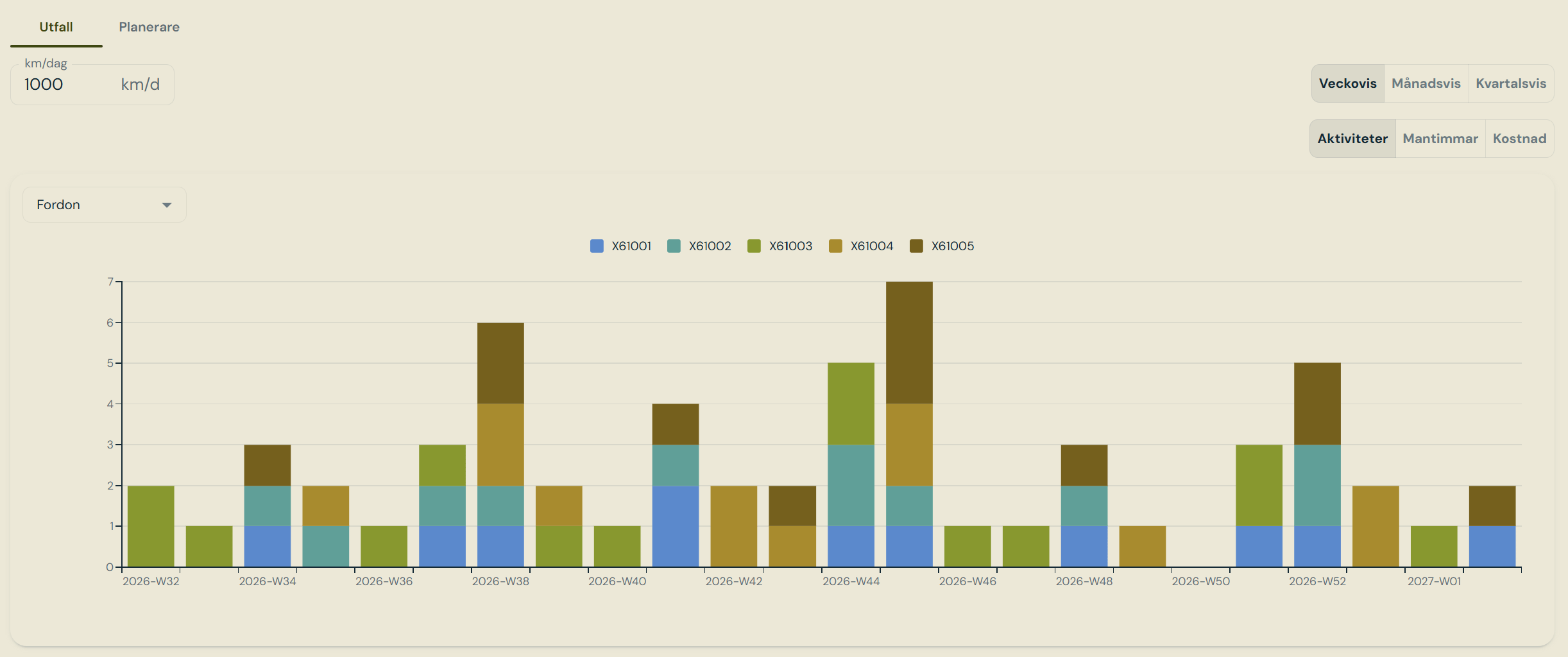 Projected workload and costs over time.
Every vehicle gets its vehicle type's tasks, and every currently mounted component gets
its component type's tasks — attached to the vehicle carrying it, so all work for a train
appears together.
For a distance interval, remaining kilometres are converted to days using the planning's
daily rate. For a day interval, the count runs from the last completed record; with no
history the first cycle starts now. Anything already past due is clamped to today and
flagged overdue.
Occurrences step forward until the window ends. Seasonal tasks shift to the next season
start. One-time tasks produce a single occurrence, and only if never completed.
Where a task has both a primary and a secondary interval, the **earlier of the two sets the
first occurrence** while the **shorter interval drives the repeat rhythm**, since both clocks
reset when the work is done.
***
### Planner
Projected workload and costs over time.
Every vehicle gets its vehicle type's tasks, and every currently mounted component gets
its component type's tasks — attached to the vehicle carrying it, so all work for a train
appears together.
For a distance interval, remaining kilometres are converted to days using the planning's
daily rate. For a day interval, the count runs from the last completed record; with no
history the first cycle starts now. Anything already past due is clamped to today and
flagged overdue.
Occurrences step forward until the window ends. Seasonal tasks shift to the next season
start. One-time tasks produce a single occurrence, and only if never completed.
Where a task has both a primary and a secondary interval, the **earlier of the two sets the
first occurrence** while the **shorter interval drives the repeat rhythm**, since both clocks
reset when the work is done.
***
### Planner
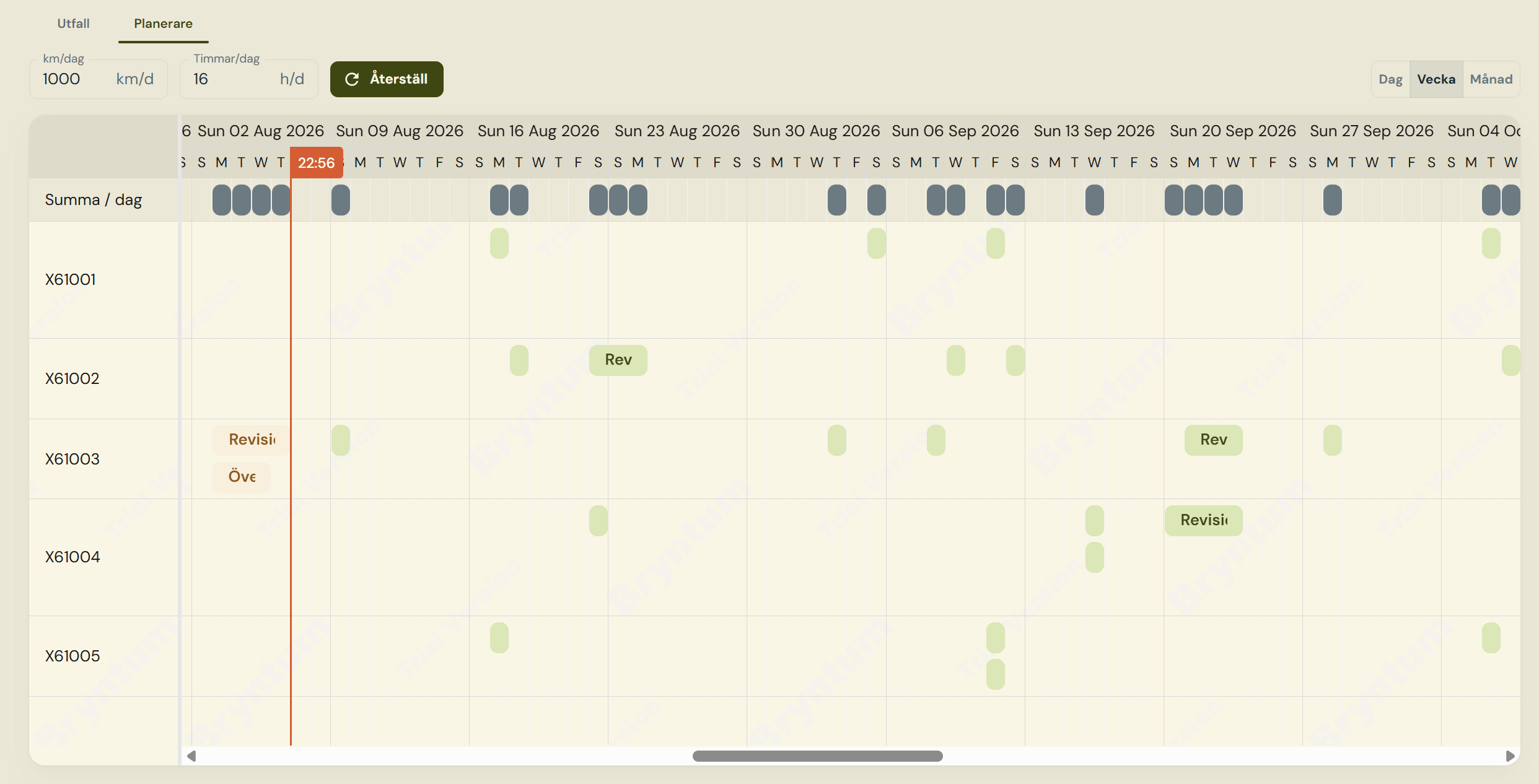 Maintenance scheduler with drag and drop function.
Dragging an occurrence changes its planned date, and that change is saved. Nothing else about
an occurrence can be edited — the projected dates are computed values.
The timeline totals **manhours and cost per day** from the estimates on each task. Those
estimates are maintained here and on [Maintenance Plan](/pages/maintenance-plans), and are
never touched by the plan import — with one exception: if a task disappears from a delivered
plan revision the task row is deleted and its estimates go with it.
***
## Projected tolerance interval and planned date
| Date | Meaning |
| ----------------- | ------------------------------------------------------------------------- |
| **Due date** | The projected nominal due point. Fixed at generation |
| **Earliest date** | Due date minus the task's before-tolerance |
| **Latest date** | Due date plus the after-tolerance — overdue past this |
| **Planned date** | Where the work is **actually scheduled**. The only field a person changes |
An occurrence is within tolerance when its planned date falls between earliest and latest. The
scheduler highlights that window as guidance, but **scheduling outside it is allowed** — the
only hard rule is that the planned date must stay inside the planning's own window.
***
## Tables
`planner_maintenanceplanning` and `planner_plannedoccurrence`.
***
## Roles
| Role | Capabilities |
| ----------------- | -------------------------------------------------------------------------------------------------------------------- |
| **Planner** | Create, edit and delete plannings; generate occurrences; drag work to new dates; maintain manhour and cost estimates |
| **Asset Manager** | Read plannings and their occurrences |
| **Project Admin** | Everything above |
Maintenance scheduler with drag and drop function.
Dragging an occurrence changes its planned date, and that change is saved. Nothing else about
an occurrence can be edited — the projected dates are computed values.
The timeline totals **manhours and cost per day** from the estimates on each task. Those
estimates are maintained here and on [Maintenance Plan](/pages/maintenance-plans), and are
never touched by the plan import — with one exception: if a task disappears from a delivered
plan revision the task row is deleted and its estimates go with it.
***
## Projected tolerance interval and planned date
| Date | Meaning |
| ----------------- | ------------------------------------------------------------------------- |
| **Due date** | The projected nominal due point. Fixed at generation |
| **Earliest date** | Due date minus the task's before-tolerance |
| **Latest date** | Due date plus the after-tolerance — overdue past this |
| **Planned date** | Where the work is **actually scheduled**. The only field a person changes |
An occurrence is within tolerance when its planned date falls between earliest and latest. The
scheduler highlights that window as guidance, but **scheduling outside it is allowed** — the
only hard rule is that the planned date must stay inside the planning's own window.
***
## Tables
`planner_maintenanceplanning` and `planner_plannedoccurrence`.
***
## Roles
| Role | Capabilities |
| ----------------- | -------------------------------------------------------------------------------------------------------------------- |
| **Planner** | Create, edit and delete plannings; generate occurrences; drag work to new dates; maintain manhour and cost estimates |
| **Asset Manager** | Read plannings and their occurrences |
| **Project Admin** | Everything above |