Tabs
Outcome
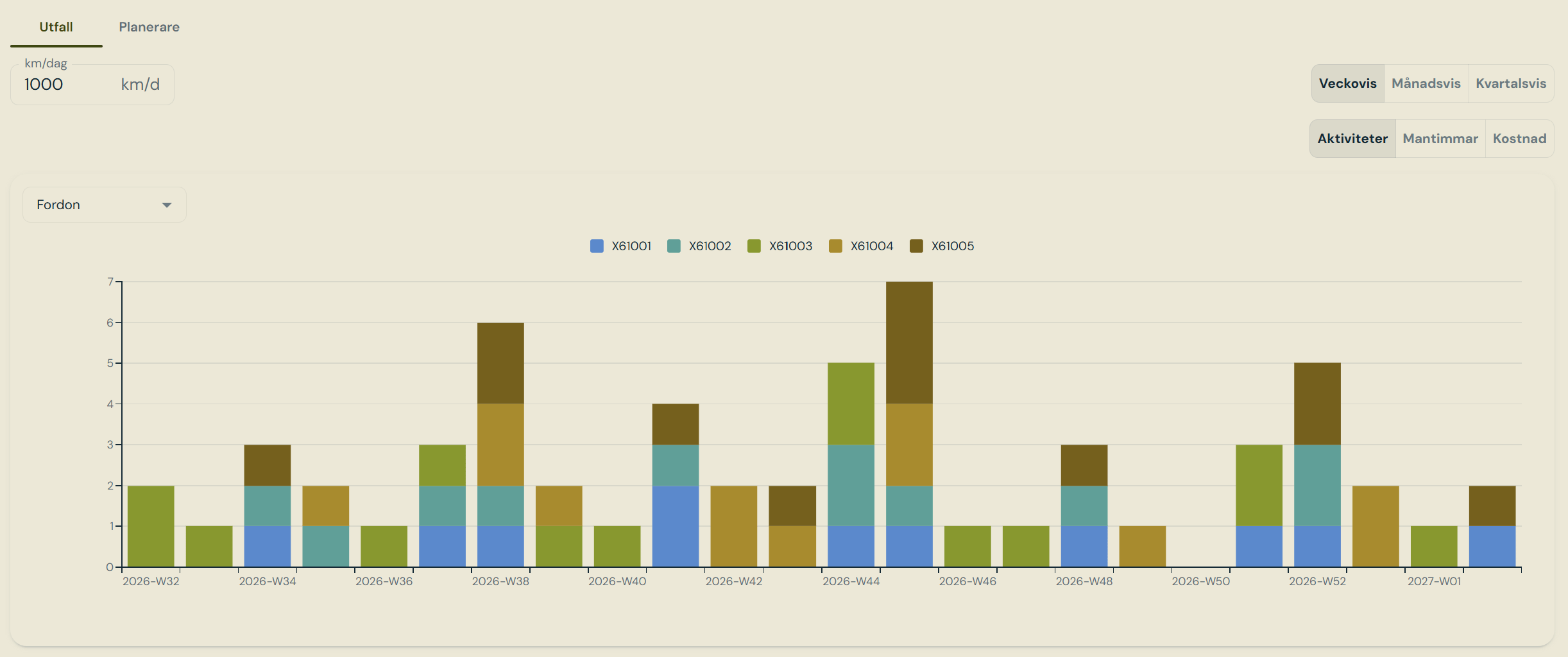
Utfall — projected activities per week, stacked by vehicle
1
Collect the work
Every vehicle gets its vehicle type’s tasks, and every currently mounted component gets
its component type’s tasks — attached to the vehicle carrying it, so all work for a train
appears together.
2
Find the first due point
For a distance interval, remaining kilometres are converted to days using the planning’s
daily rate. For a day interval, the count runs from the last completed record; with no
history the first cycle starts now. Anything already past due is clamped to today and
flagged overdue.
3
Repeat forward
Occurrences step forward until the window ends. Seasonal tasks shift to the next season
start. One-time tasks produce a single occurrence, and only if never completed.
Planner
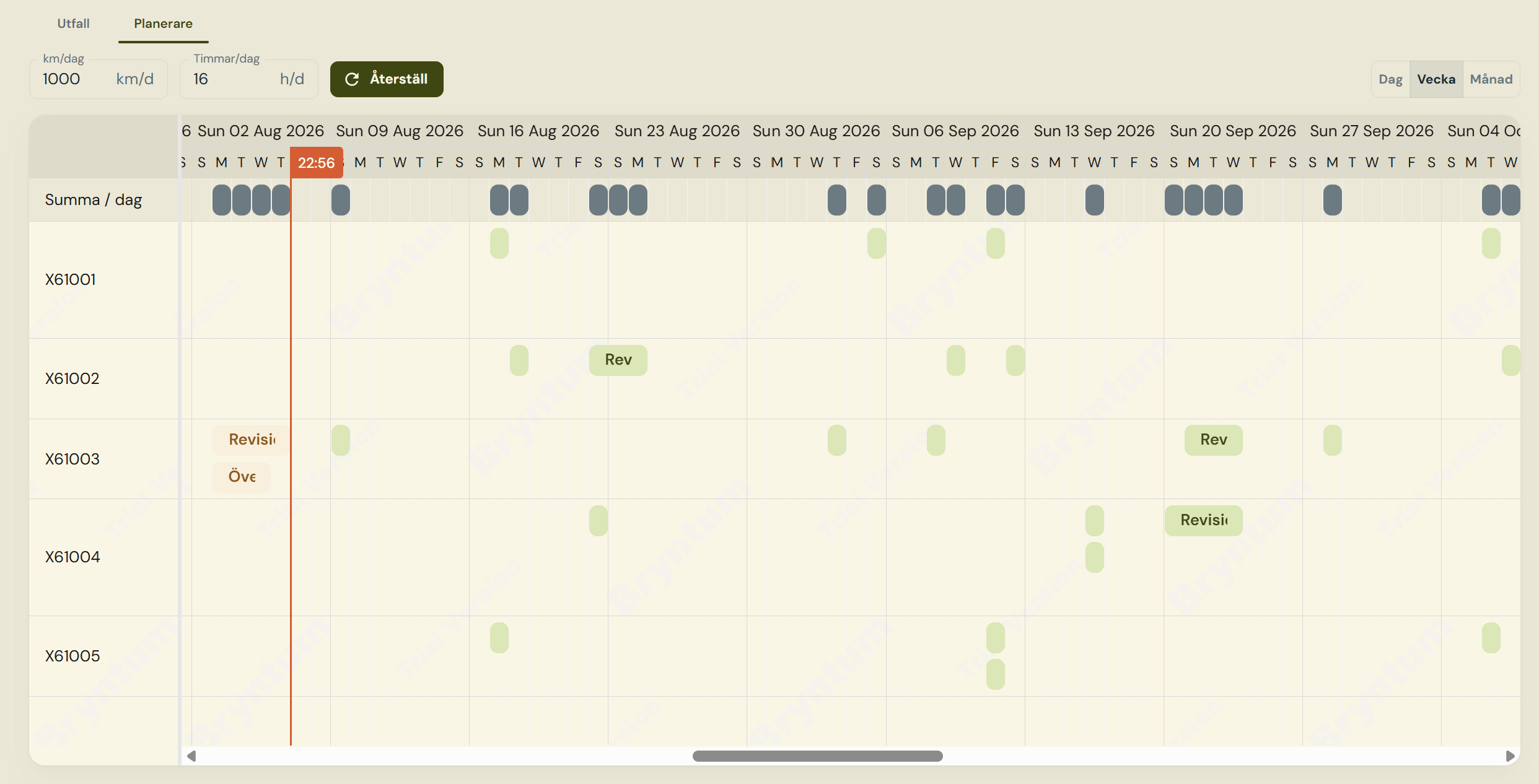
Planerare — the scheduler timeline, one row per vehicle, with daily totals on top
Projected tolerance interval and planned date
An occurrence is within tolerance when its planned date falls between earliest and latest. The
scheduler highlights that window as guidance, but scheduling outside it is allowed — the
only hard rule is that the planned date must stay inside the planning’s own window.
Tables
Field reference
planner_maintenanceplanning and planner_plannedoccurrence.